



What to post on your Google Business Profile: ideas by post type and industry, and what Google rejects
Google Business Profile post ideas by type and industry, how often to post, photo specs, which button to pick, what Google rejects, and whether posts help rank.
 By the GMB Helper.ai teamUpdated 10 min read
Post what a customer would want to know this week: a job you just finished, with a real photo and where it was; a new service; a dated offer; an event; a change to your hours. Keep it to two or three sentences, put the point in the first line, add a button for the next step, and leave phone numbers and links out of the text. Once a week is a pace most businesses can keep. Below are ideas by post type and by industry, the photo and button details, what gets a post rejected, and an honest answer on whether posts help you rank.
Update post
Live
Northside Plumbing & Drain
2 days ago
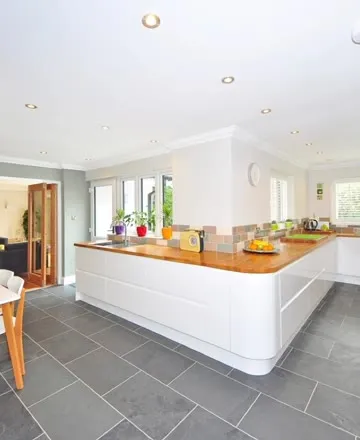
Replaced a kitchen sink and faucet in Riverside this morning. Same day install, and the old fixtures hauled away.
The three post types, and what each one is for
Google’s help page on creating and managing posts lists three types. Each carries different fields, and picking the right one decides how long the post stays useful.
| Type | What it needs | Use it for |
|---|---|---|
| Update | A description, a photo or video, and an optional button | Finished jobs, new services, staff, seasonal reminders, news. Most of your posts. |
| Offer | A title, start and end dates and times. Google adds a View offer button. Coupon code, link, and terms are optional. | A discount or deal with a real end date. |
| Event | A title, start and end dates and times, and an optional button. Without times, it shows as lasting 24 hours on the event dates. | Open days, homeowner workshops, sale weekends. |
One detail changes how you plan: Google archives posts older than six months unless a date range is set. Offers and events end on the date you chose. Updates simply age out, so a steady trickle of updates matters more than one great post in March.
What to post: ideas by type
Updates
- A job you finished this week: a photo of the work, what you did, and the neighbourhood. Replaced a 20 year old water heater in Riverside this morning. Same day install, old unit hauled away.
- A new service or product, said plainly: We now install tankless water heaters.
- A person on the team, with a photo and one line about what they do for customers.
- A seasonal reminder that matches what you sell: gutter cleaning before the first storm, a sump pump check before the spring rain, a spring service on the AC.
- An answer to a question customers ask every week, in two sentences.
- A behind the scenes photo: the shop at 6am, a new drain camera, the van stocked for the day.
- A practical change: new hours, a new entrance, parking, a holiday closure.
Offers
- A seasonal service at a set price, with an end date: Furnace tune up, 89 dollars, booked by November 30.
- A first visit offer for new customers, with the terms in the terms field rather than the description.
- A coupon code for online booking, with the code in the coupon field so customers can copy it.
Only post an offer you will honour on the day a customer calls and mentions it, and give it a real end date. A permanent offer is not an offer, it is your price.
Events
- A homeowner workshop, such as getting a house ready for winter, with a date, a time, and a Sign up or Book button.
- An open house or open day.
- A community event you are hosting or sponsoring, with your part in it described honestly.
- A sale weekend, as an event if it has a start and an end but no specific discount.
What to post: ideas by industry
Every idea below is a photo you can take on your phone before you leave the job. Name the town or neighbourhood in the text, keep house numbers, street signs, and customers’ faces out of the shot, and add the button for the next thing a customer would do.
| Business | Post ideas you can shoot at a job | Button that fits |
|---|---|---|
| Plumbers | The water heater you swapped this morning, the old tank beside the new one, with the town named. A frozen pipe reminder before the first hard freeze. A drain cleaning offer with an end date. | Call now |
| HVAC | The new furnace or heat pump once the install is done. A clogged filter held next to a clean one, with a reminder to change it. A fall tune up offer booked by a set date. | Call now, or Book if you take bookings online |
| Electricians | A finished panel upgrade with every breaker labelled. An EV charger on a garage wall. A reminder before storm season about generators and surge protection. | Call now |
| Roofing | The finished roof from the street, plus one close up of the flashing or ridge. The crew tarping a leak after a storm, with the area named. | Call now, or Learn more linked to your roof replacement page |
| Garage doors | A new door on a house in a named neighbourhood. The snapped spring in your hand next to the new one. Same day spring and opener repairs as an update. | Call now |
| Pest control | What the tech found: a wasp nest under a deck, the gap where mice got in by the garage door. The pest that is active in your area this month, in one line. | Call now or Book |
| Tree service | Before and after of a removal, taken from the same spot. The bucket truck on a storm cleanup, with the area named. A late winter pruning reminder. | Call now or Book |
| Cleaners and landscapers | Before and after of a kitchen, a bathroom, or a yard, from the same spot. The areas you cover this month. A spring cleanup or move out clean as an offer with an end date. | Call now or Book |
For the rest of a trade profile (service areas, categories, verification, and reviews), see our guide to Google Business Profile for HVAC and plumbing companies.
How to write a post that gets read
- Lead with the point. On Google Maps on a computer, a post first shows as a small card with roughly its first 50 characters, and the rest appears only when someone opens it.
- Keep it short. Google’s editor allows 1,500 characters in the description, and offer and event titles allow 58. Two or three sentences is usually enough.
- Be specific: the service, the place, the day. Specific posts read as a real business; vague ones read as filler.
- Use a real photo from that week, not stock.
- Add one button for the next step, and put any link there rather than in the text.
- Write in normal sentence case. Google asks for posts without extra characters or distracting content, and a post in capitals reads as shouting.
Post photo check
JPG or PNG, 10 KB to 5 MB
At least 250 by 250 pixels
Google recommends 720 by 720.
In focus and well lit
Words baked into the image
Hard to read in a small card.
Video up to 30 seconds and 75 MB
Photo and video specs
Google does not publish a separate size for post images. Its photo and video guidelines for Business Profiles are the ones to meet, and its posts content policy says photos and videos must meet those criteria.
- Photos: JPG or PNG, between 10 KB and 5 MB. Google recommends 720 by 720 pixels and requires at least 250 by 250.
- Quality: in focus, well lit, with no significant alterations or heavy filters.
- Videos: up to 30 seconds, up to 75 MB, 720p or higher.
- Cropping: posts can show as small cards that crop the edges, so keep the subject in the middle. Many guides suggest a 4:3 landscape photo, such as 1200 by 900 pixels; that is common practice rather than a Google rule.
- No text-heavy graphics. A photo of the work says more than a flyer, and words baked into an image are hard to read in a small card.
Post buttons
Which button to pick
Updates and events can carry one button. Google’s editor offers Book, Order online, Buy, Learn more, Sign up, and Call now. Every button except Call now needs a link. Offers get a View offer button automatically.
- Call now when the customer’s next step is a phone call. It dials the number already verified on your profile, which is why Google suggests it instead of typing the number into the post.
- Book for appointments, tables, and quotes, linked to your booking page.
- Order online for food and products, linked to the ordering page.
- Buy for a specific product page.
- Sign up for classes, events, and mailing lists.
- Learn more when the post is information, linked to the page that explains it.
Before you publish
Phone number in the text
Use the Call now button instead.
Link to an unrelated website in the text
Put your own link on the button.
Normal sentence case, no extra characters
Profile is verified
Posts on an unverified profile stay Pending.
What Google rejects
Google checks every post after you publish it. While it processes, the status is Pending. If it passes, it goes Live. If not, it shows as Not approved, with a question mark next to the status that points to the policy it broke. A Not approved post never shows on Search or Maps.
These are the rules behind most rejections, from Google’s posts content policy and posts help:
- Phone numbers in the text. Google says a post with a phone number in the description might be rejected if the number cannot be verified as connected to the business, and that it may remove posts with unverified phone numbers, email addresses, and social media handles. Use the Call now button.
- Links in the text to websites not related to your business. Put your own link on the button.
- Offers or calls to action for regulated products, and offer posts from hotels.
- Misspellings, extra characters, text that adds no value, and auto-generated or distracting content.
- Offensive language, images, or videos, and anything sexually suggestive or explicit.
- Misleading claims about a product or service.
- Posts on an unverified profile, which stay Pending and do not show.
Of all of these, the phone number is the one that catches people out, because adding it feels helpful. In the posts we run for customers, a phone number in the text was behind nearly every rejection we found. Check the Posts tab after each post goes out, and look for Not approved.
One post a week
Update: kitchen sink replaced in Riverside
Live
Offer: furnace tune-up, booked by November 30
Live
Update: meet our new technician
Live
Event: home maintenance open day
Scheduled
How often to post
Google does not publish a posting frequency. Once a week is a sensible target for most local businesses, because it is often enough that the newest post is recent and rare enough that you will not run out of real things to say. Steady matters more than volume: one post a week for a year beats ten in January and silence until June.
If you have more to say, two a week is fine, as long as each one is about something real.
The simplest way to keep the habit is to write a few posts in one sitting and schedule them. Google’s own editor can schedule and repeat posts; the clicks, and when a tool is worth it, are in how to schedule Google Business Profile posts.
Do posts help your ranking?
Google does not say they do. Its help page on local ranking says local results are mainly based on relevance, distance, and popularity, and it does not mention posts. Google’s posts help describes the benefit differently: when customers find your latest updates on your profile, it helps them decide to visit.
So treat posts as conversion, not ranking. They show the person already looking at your profile that the business is open, busy, and current, with real photos and a button to act on. Anyone who promises that posting will move you up the map is guessing. If ranking is the goal, the things Google does name, such as complete and accurate business information and reviews, are covered in how to rank higher on Google Maps.
Questions people ask
How long do Google Business Profile posts stay up?
Google archives posts older than six months unless a date range is set. Offers and events end on their end date.
Can I put my phone number in a post?
You can type it, but Google says the post might be rejected if the number cannot be verified. Add the Call now button instead; it uses the verified number on your profile.
Can I post the same thing to all my locations?
Google’s editor lets you share one post to several profiles you manage. It will be the same text and photo everywhere, so it suits a company-wide announcement better than everyday posts.
Why is my post stuck on Pending?
Pending means Google is still processing it, or the profile is not verified. Posts on an unverified profile do not show until verification is done.
Keep every location posting, with nothing rejected unnoticed
GMB Helper.ai gives each location its own photo library and posting days, writes a caption for each photo and business, publishes it or holds it as a draft for approval, keeps phone numbers out of captions, and reads every post’s status back from Google so a rejected post is flagged.
Built for home service companies in the US and Canada, 1 to 5 locations.